Jellow Communicator Weekly Scheduler
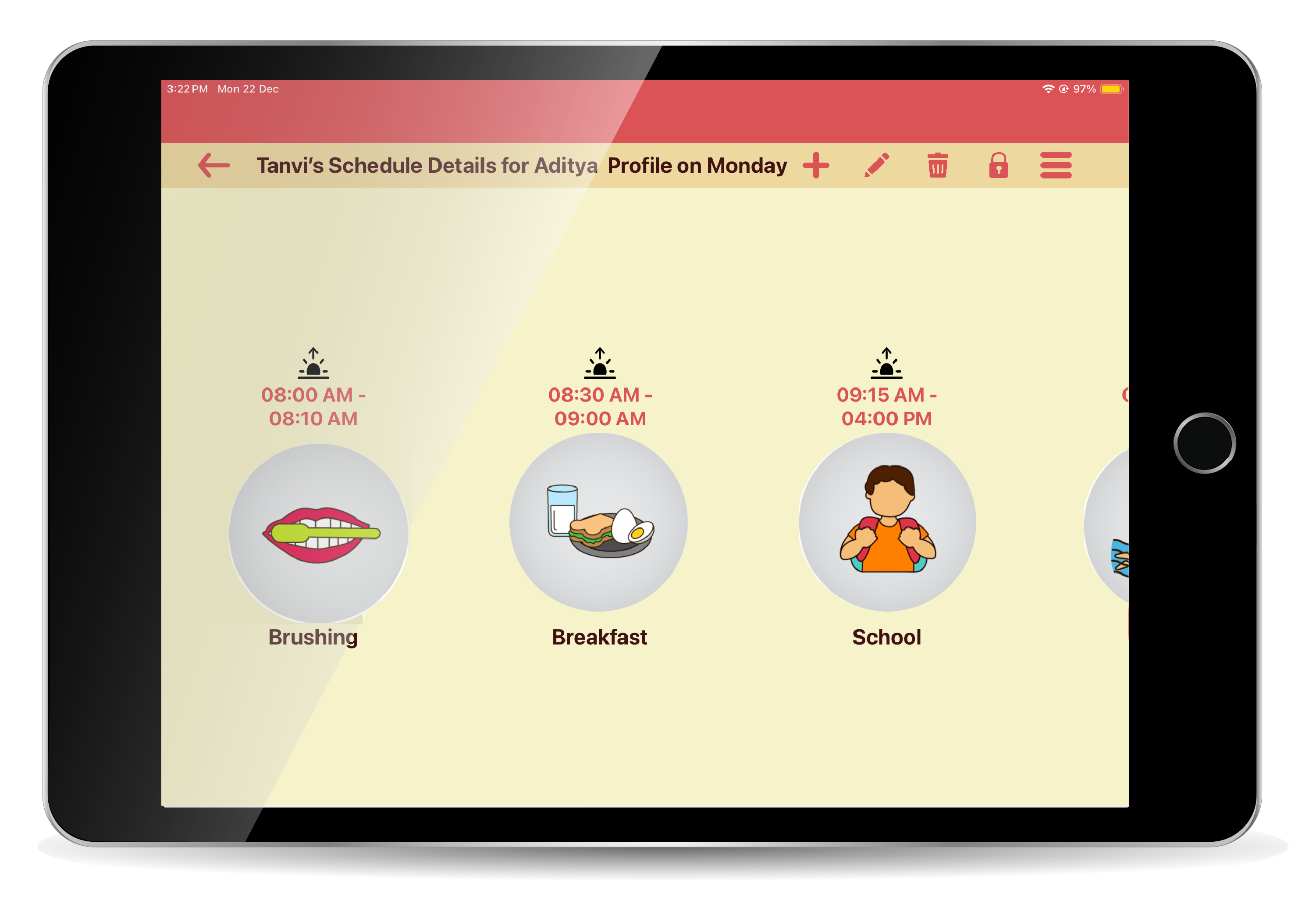
Jellow Communicator Weekly Scheduler is a digital calendar for children that organizes tasks, activities across a seven-day period using text, image and voice.
It allows parents, care takers and therapists to create schedules, set task priorities, and arrange activities in the right order and time.
The tool is designed to make routines easier to follow, promote independence, and support children’s learning and communication needs.
It helps to allocate time wisely, prioritize important actions, by creating a visual roadmap for daily and weekly activities.
A typical day is structured with activities pertaining to morning, afternoon, evening and night and according to home, school or therapy environments.
If you have any suggestions or queries about the Jellow Communicator Scheduler please submit it under the feedback tab or write to us at jellowcommunicator@gmail.com

What's Unique?

A simple interface for making schedules with text,image,voice.

Access to Jellow library of over 1200 images

Set alarms and reminders.
Option of repeating the schedule every week.

Multiple Languages - available in 20 languages (human translated)


- What are the best devices to use the Jellow Scheduler application?
The Jellow Scheduler application works on Android/Apple tablets and mobiles and has been specifically optimized for tablets. - What operating systems are compatible with the Jellow Scheduler application?
The Jellow Scheduler application is currently compatible with the iOS platform, soon to be available on Android devices (Android versions 5.0 and above). - Can the Jellow Scheduler application run offline?
Jellow Scheduler can run offline on your device. An Internet connection is only required at the time of download of the application and for adding new languages into the application. - How do I use the Jellow Scheduler application?
Jellow Scheduler is a support system for children to schedule thrir adaily activities across a week - Which versions is Jellow Scheduler available in?
In this version the user is allowed to choose the language and accent of their choice using a drop-down menu in the settings screen. - While using the Jellow Scheduler application, the voice and pronunciation of words is not clear. What do I do?
The application uses the Google Text-To-Speech (TTS) engine. Most devices already have the Google tts engine activated. However, on all Samsung devices, the Samsung tts engine is activated by default. In case your device does not have the Google TTS engine, it can be downloaded from Google play using the link - https://play.google.com/store/apps/details?id=com.google.android.tts&hl=en - What languages and accents are available within Jellow Scheduler? How do I change the language output of the app?
Currently, the Jellow Talk application supports all the language(s) and its voice(s) given by Google Text-to-Speech Engine on the Android devices.